
icon account icon cash icon cart icon cart icon search main arrow arrow check icon camera icon light icon audio icon computer icon storage icon discount icon facebook icon twitter icon linkedin icon vimeo icon youtube icon instagram icon google plus icon share icon email icon print icon time icon phone icon email-m icon marker-m icon pdf icon remove icon comment icon out icon-status icon-star icon-switch pie-chart line-chart icon-user icon-user-1 icon-warning expand-arrow-1 expand-arrow-2 icon-upload icon-download icon-none icon-date-scheduled icon-date-available icon-is-hazardous
Header image for article Quick Tip: Using the OptiTek Mark II Adapter with Sony F5/F55

Quick Tip: Using the OptiTek Mark II Adapter with Sony F5/F55

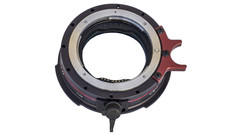
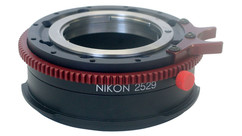
We've recently received a number of calls asking about the functionality of the OptiTek Mark II on Sony cameras (F3/F5/F55). In today's Quick Tip, I will take you through the steps to get the adapter up and running.

It's important to remember that every time you repower the camera or change lenses, you have to reinitialize the iris of the lens to the adaptor. This requires pushing the "+" button for at least one second. Watch my video above to learn exactly how to set up the adapter and make sure to download this helpful OptiTek Quick Start Guide created by Sony.

Ian McCausland
Technology Specialist, AbelCine LA

Related Products

YOU MIGHT ALSO LIKE...

Intro image for article Using Sony's 2K Optical Low Pass Filter on the F5 and F55
Tutorials & Guides
Several months ago, Sony released a new user-changeable 2K optical low pass filter for their F5 and F55 cameras. The filters are incredibly easy to swap out by loosening just a single Philips screw in the upper right hand corner (yellow arrow in first picture above) of the filter. Simply slide the 4K filter to the right, and pull it away from the camera. The 2K filter then snaps right in, slides to the right, and is held in place with the same Philips screw.