




Tutorials & Guides
A great deal of interest was generated at NAB by the announcement of the Blackmagic Cinema Camera, a 2.5k-capable (2432x1366) camera that records directly to SSDs. Recording 2.5k content as CinemaDNGs or 1080 HD content as ProRes or DNxHD, the Cinema Camera certainly offers some unique possibilities at an affordable price point. In this article, we present the various accessories and lens options that can be used with the camera.
Tutorials & Guides
You may have wondered what the 5600K CC button on the top left hand corner of the PMW-F3's LCD does. As its name implies, it allows you to quickly change the white balance from 3200K (tungsten) to 5600K (daylight). The important thing to remember is that the button only works this way when the camera is set to a color temperature of 3200K.

Tutorials & Guides
The new Phantom Miro M320S high-speed camera from Vision Research records 12-bit raw cine files for advanced color correcting with professional imaging software such as GlueTools or DaVinci Resolve. However, many shooters are instead utilizing the camera's HD-SDI output to record directly to an external device like the Sound Devices PIX 240. This is a super fast way to get gorgeous high-speed shots recorded in Apple's ProRes codec for easy ingest into an editing system.
Tutorials & Guides
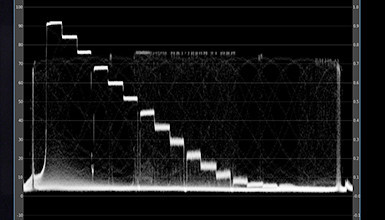
Sony recently released firmware v1.4 for the PMW-F3. If you have not updated your camera yet, you can download the firmware from Sony's XDCAM site. Noteworthy in this firmware is the inclusion of S-Log in Picture Profiles.
Tutorials & Guides
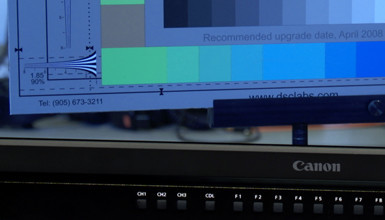
While most cameras provide exposure tools like waveform monitors and zebras, having a properly calibrated monitor or viewfinder serves as an additional means to quickly determine exposure - something that is especially useful in run & gun situations. In addition to helping you gauge exposure, a calibrated monitor also gives you a way to check for color accuracy and can help in making color decisions.
Tutorials & Guides
When Canon launched the EOS C300, one of the touted features was Wi-Fi control via the optional WFT-E6A adaptor. Originally designed for the Canon EOS-1D X DSLR, the WFT-E6A allows you to preview the image and make exposure adjustments from any web browser, including tablet devices and smart phones.
Tech News
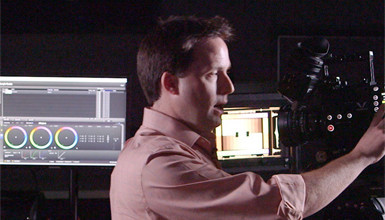
Pomfort has put together a new tutorial on how to use their LiveGrade software in conjunction with DaVinci Resolve to create dailies. LiveGrade can be used with hardware like the BlackMagic HD Link Pro to create LUTs live. I outlined how to apply different LUTs in a previous blog, but Pomfort has put together a very simple way to work with ASC-CDL (Color Decision List) files in DaVinci Resolve.
Tutorials & Guides
The folks from Cartoni stopped by the other day to show us their new JIBO compact jib. What struck me right away was its modular design. The jib is made up of three sections, so assembly is fast and easy. Conveniently, all three sections fit into a portable wheeled case.
Tutorials & Guides
The latest firmware for the F3 was just released a few days ago, and it adds a great new option. Version 1.40, which can be download here, adds S-Log into the Picture Profile menu of the camera. This allows anyone to turn on S-Log without the RGB key, although you still need the key for 4:4:4 output.