



What is Environmental Capture?
Environmental capture brings together a rich ecosystem of tools and technologies to allow real-world locations (scenic places, points of interest, practical shooting locations, venues, etc.) to be captured as comprehensive 3D-modeled scenes. Simultaneously, high-resolution RGB pixel data is captured and associated with the scene’s structure, ultimately producing assets for previsualization, production planning, and impeccably photoreal background replacements.
More than this, these 3D assets can allow for flexible camera placement, sub-centimeter measuring accuracy, and comprehensive scene data in order to convincingly match or extend earlier shots or scenes, or to model a production team’s footprint in a limited-access space.
Emerging techniques even allow post-capture virtual re-lighting of environments to extend creative possibilities or, for example, to plot the sun’s path through a space, enhancing the value of each processed scene.
Technical Foundations
Four overlapping technologies define the production-oriented environmental capture "stack":
- LiDAR, an acronym for ‘laser imaging, detection, and ranging’ (or ‘light detection and ranging’) determines distance by targeting an object or a surface with a laser or other light source and measuring the time for the reflected light to return to the receiver. LiDAR may operate in a fixed direction (e.g. vertical) or may scan multiple directions.
- Photogrammetry is the science and technology of obtaining reliable information about physical objects and the environment through the process of recording, measuring and interpreting photographic images and other patterns of radiant imagery.
- SLAM, for ‘simultaneous localization and mapping’, uses computational geometry and computer vision to construct or update a map of a previously unknown environment, while simultaneously keeping track of an entity's location within it, and estimating position changes over time (known as ‘odometry’).
- 3D Gaussian Splatting (3DGS) is a radiance field volumetric rendering technique that enables the direct rendering of volume data without first converting the data into polygonal geometry.
Environmental Scanning Tools
With tools like XGRIDS PortalCam and Lixel K2, scans can be made quickly by a single person by just walking through a space. Quick scans provide good accuracy while multiple passes at different heights and orientations provide ultra-high detail and centimeter-level accuracy.
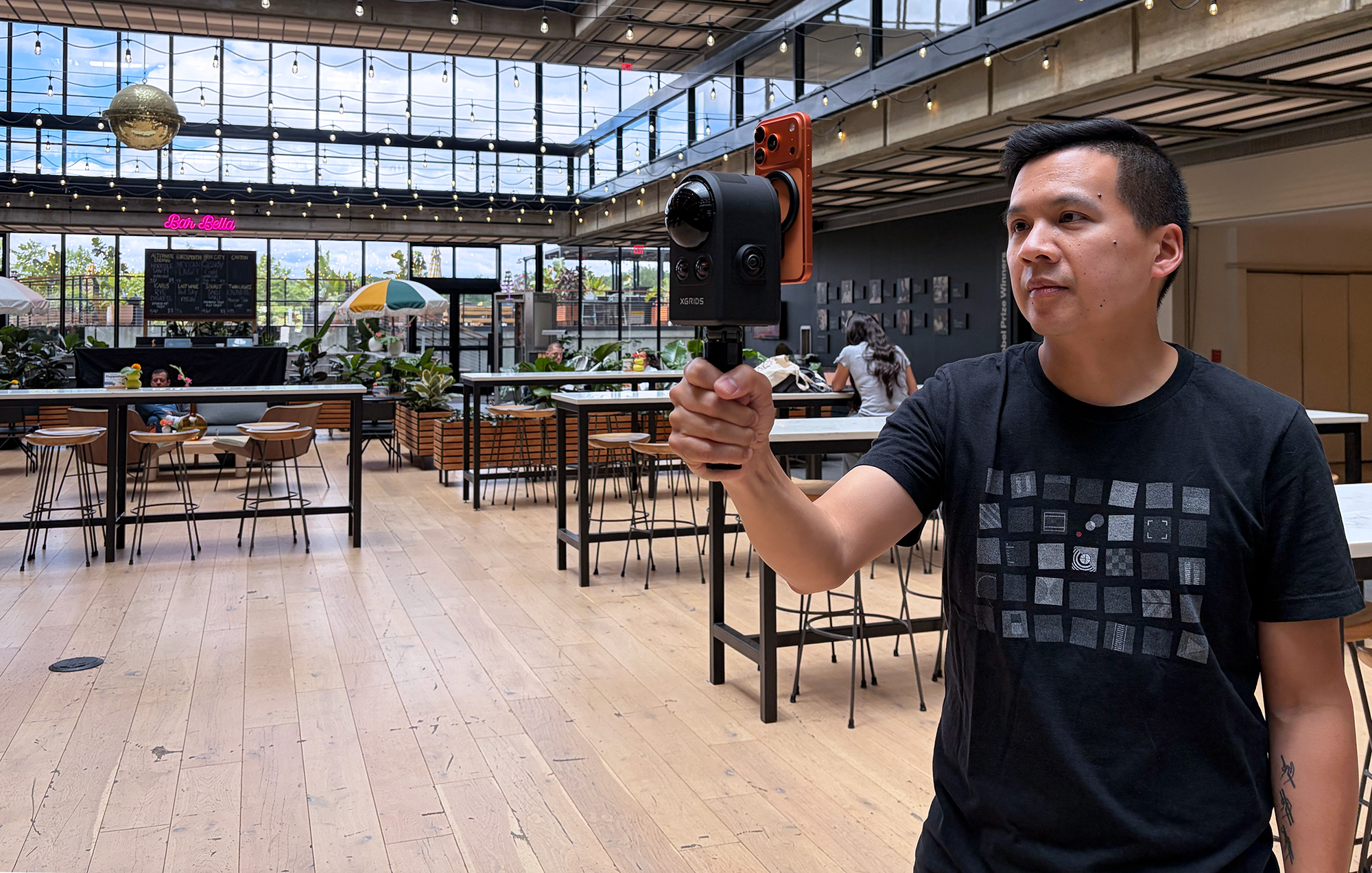
Single-operator handheld scanning with XGRIDS PortalCam; the LCC Scan iOS app provides control of the PortalCam and quality feedback.
Scans save to the devices’ internal memory before both spatial and image data are offloaded and processed with XGRIDS state-of-the-art LCC Studio software. Images from high-resolution DSLR or mirrorless still cameras are often used to supplement and enhance texture resolution and to provide multiple levels of detail. Some examples of software for processing rich image sets include Volinga Suite, Postshot, and LichtFeld Studio.
Processing PortalCam or K2 datasets in XGRIDS LCC Studio yields a suite of delivery-ready formats: an LCC file, a mesh, an LOD stack in trusty PLY format (containing fully-realized gaussian splats, not just point cloud data), as well as USDZ and 3D Tiles formats.
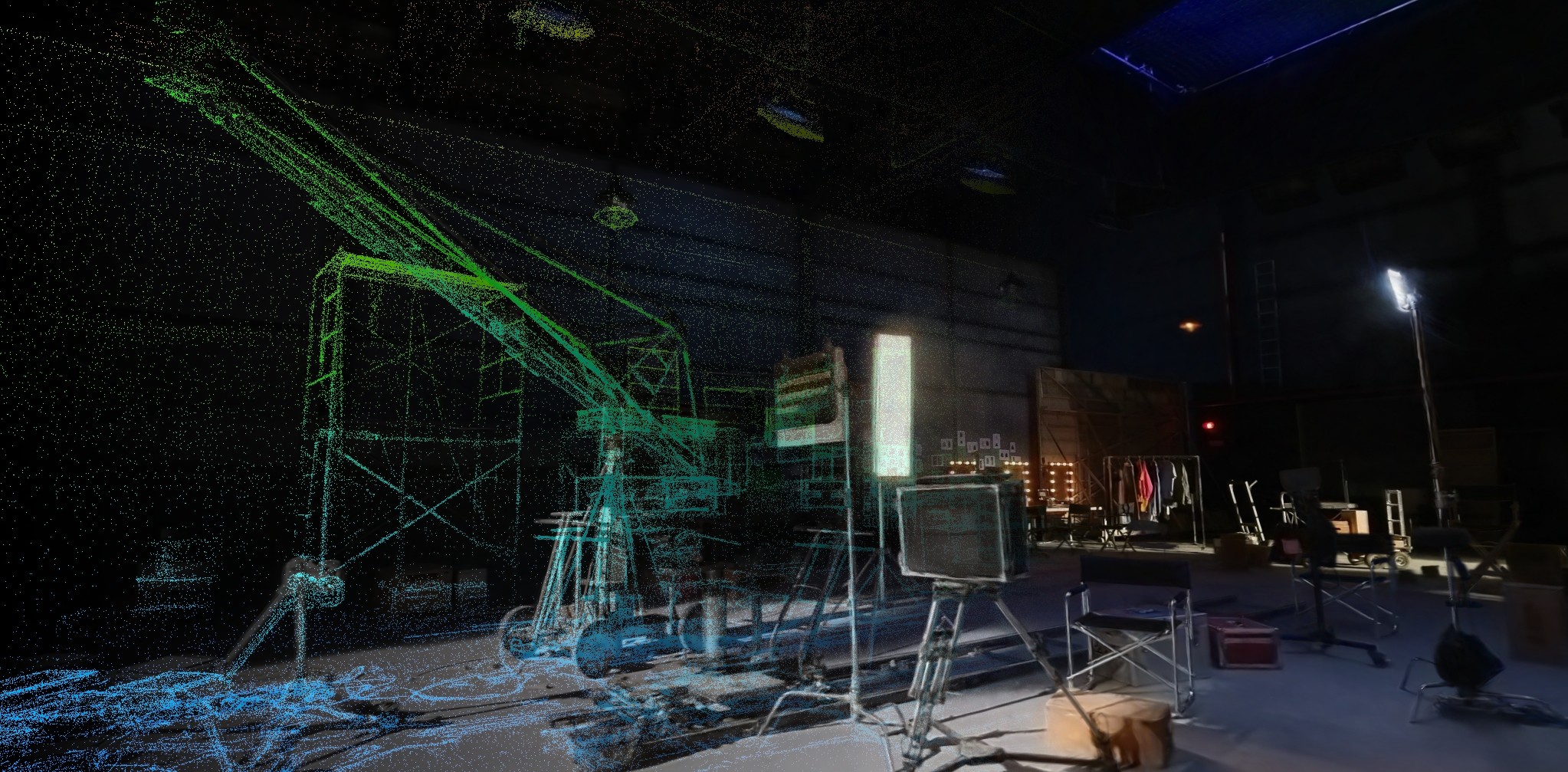
After reconstruction in XGRIDS LCC Studio, scans can be viewed, edited, and scene elements accurately measured. (Click to view larger.)
For viewing 3DGS data (“splats”) after processing, take a close look at Terra from our partners at District Cinema. Terra is a browser-based 3D collaboration platform built specifically for film, TV, and creative production teams to seamlessly manage their environments. It allows remote teams to virtually scout locations, block shots, make point-to-point spatial measurements, and leave annotations directly inside 3D environments and Gaussian Splats without requiring specialized hardware or game engine expertise.
XGRIDS LCC Studio, available in Free/Basic or Premium/Expert license levels, can be used to edit processed scenes and connect, or fuse, multiple scans of very large spaces. On the web, the excellent (as well as forever-free and open source) SuperSplat site offers a plethora of useful tools for editing and format conversion, and the source code is available on GitHub.
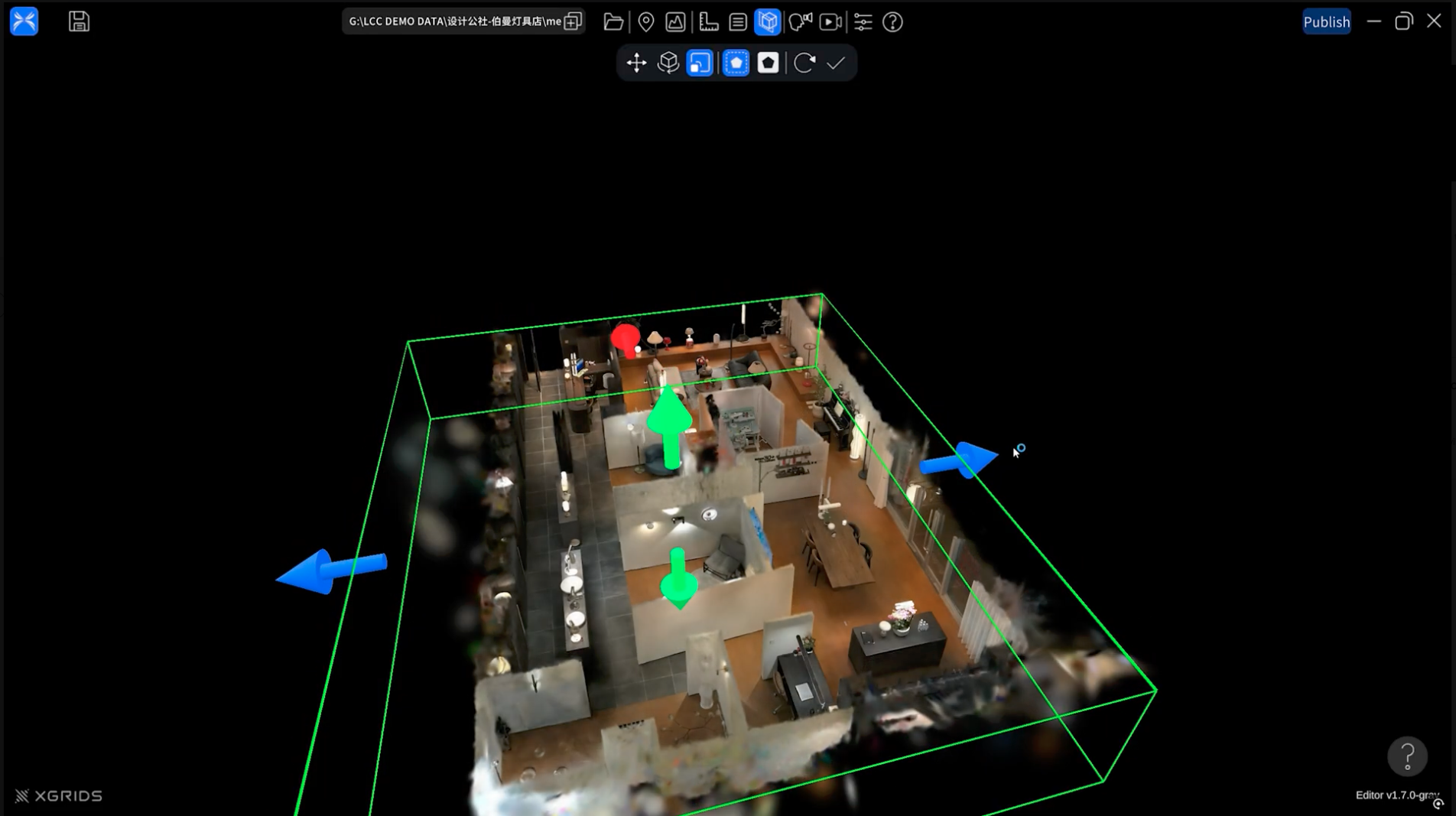
Editing a scan in LCC Studio.
When it comes time to integrate 3DGS scenes into a new or existing virtual production project using Unreal Engine, you’ll want to check out the following UE Plugins:
- LCC4Unreal is XGRIDS native plug-in, able to take in the LOD (or Level of Detail) system baked into their LCC format. It has basic shader-based relighting features, built-in collisions, and efficiently streams from the LCC file as opposed to ingesting it into content.
- Postshot’s UE plugin is high-performance and ideal for basic viewing and VR/XR experiences
- Volinga’s plugin shines at relighting features, allowing for both estimated and accurate mesh-based normals — great for productions requiring highly editable environments.
Applications in Media Production
Once integrated into a project, detailed 3DGS scenes enable a wide range of workflows:
- Provisioning quickly realized environments for use in capture volumes for ICVFX (in-camera visual effects) such as live compositing and background replacement.
- In conjunction with markerless camera tracking, complex repeatable camera moves through/within an environment are possible with the same camera used for principal photography.
- As well, completely virtual camera shots, with some movement, can be realized entirely within a scanned scene’s 3DGS reconstruction.
- Fully-relightable environments allow shooting to continue after access to a location has been lost or sets wrapped, or to vary weather or time-of-day.
For an in-depth examination of the XGRIDS scanner lineup (PortalCam, K2, and L2 Pro) with a specific focus on film production applications, read this guide by Barney Csutak of District Cinema.
For more information on environmental capture and how it can be incorporated into your production or organization, contact our team.