



Lenses & Optical Accessories
Tutorials & Guides
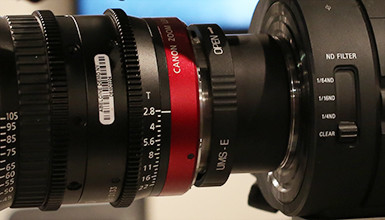
The IB/E Universal Mount System (UMS) for Canon Cinema Zooms makes it easy for users to quickly switch between various lens mounts in the field. Of the various mount options, the first available mount was for Canon EF, but with the recent crop of new cameras, you now have the ability to use any of the popular Canon Cinema Zooms (14.5-60, 30-300, 15.5-47, and 30-105) on cameras such as the Sony a7S, Panasonic GH4, or Blackmagic Studio Camera.

Tutorials & Guides
With today's modern camera sensors being so sensitive to light, we often have to use ND filters. Traditional ND filters are designed to neutrally reduce all light, but will not adequately cut the infrared or far red light that causes problems in many cameras.

Client Profiles
Phil Lott is quite the triple threat - as a cinematographer, director, and showrunner, he has been working in the industry for over two decades. Phil has extensive credits in television, and while he enjoys the medium, his most recent project is an indie feature called Kelly & Cal.
Tutorials & Guides
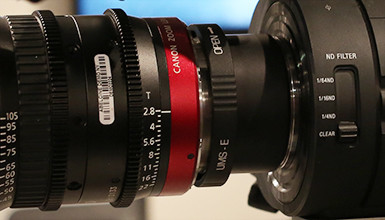
Back at NAB 2014, Andy did a great booth tour with James Mathers from Digital Cinema Society where he highlighted a number of our new AbelCine-developed optical accessories. One of the products that generated a lot of interest at the show was our IB/E Universal Mount System for Canon Cinema Zooms, which is comprised of our new UMS Conversion Kit for Canon Cinema Zoom lenses (compact zoom and cinema zoom versions available) and the IB/E Universal Mount System (UMS).

Tutorials & Guides
We've recently received a number of calls asking about the functionality of the OptiTek Mark II on Sony cameras (F3/F5/F55). In today's Quick Tip, I will take you through the steps to get the adapter up and running.

Tech News
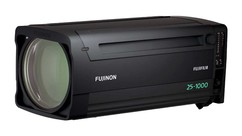
Today Fujinon introduced the newest member of their popular Cabrio family of lenses; the all-purpose Premier PL 25-300mm (ZK12x25).While not as lightweight as the other Cabrios, the versatile 12x zoom ratio and constant aperture of T3.5 from 25-273mm (gradual ramp to T3.85 from 274-300mm) will surely feel at home on any set and compliments the existing lenses.

Tech News
Canon has just announced the newest addition to its Cinema Lens lineup, the Cine-Servo CN7x17 KAS S, and we were lucky enough to spend some time it. While sharing the naming convention of a traditional ENG lens, this new 4K Super35 lens shares the same heritage as the popular Cinema Zooms with a versatile 17mm - 120mm (T2.95-3.9) range.
Tutorials & Guides
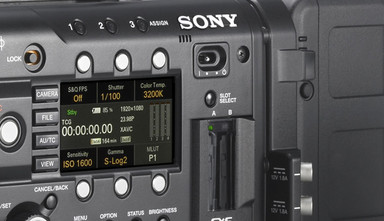
Several months ago, Sony released a new user-changeable 2K optical low pass filter for their F5 and F55 cameras. The filters are incredibly easy to swap out by loosening just a single Philips screw in the upper right hand corner (yellow arrow in first picture above) of the filter. Simply slide the 4K filter to the right, and pull it away from the camera. The 2K filter then snaps right in, slides to the right, and is held in place with the same Philips screw.
Tutorials & Guides
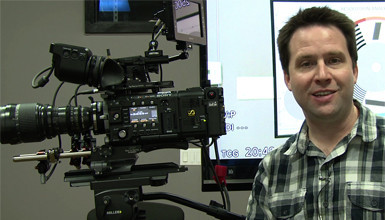
In my last video on the Sony F5 and F55, I showed how firmware version 3.0 adds many new features to the cameras including a 2K Center Scan mode, which is just the right size for use with Super 16mm lenses.