



davinci-resolve

Tech News
Little by little, update by update, Blackmagic Design has been adding editing features to their popular DaVinci Resolve color grading software. With the newest version, Resolve 11, they've fully committed to providing a single platform from which users can color correct, edit, finish, and deliver.
Tutorials & Guides
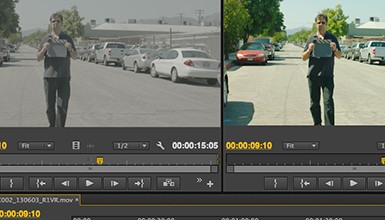
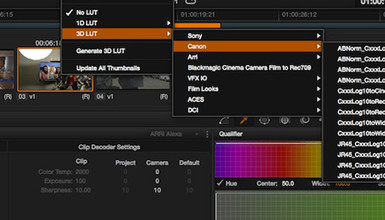
One of the most popular blog posts I've written was a guide to Applying LUTs to Log Footage in various NLEs. Since I posted it, a lot has changed in the popular NLEs; the tools used to apply Look Up Tables are now included in many of them, and they are generally better than ever. Here is a break down of how to apply LUTs to Log footage (or any footage) in Final Cut Pro X, Adobe Premiere Pro CC, Avid Media Composer 7, and Resolve 10
Tools, Charts & Downloads
Canon has Look Up Tables (LUTs) on their website for their Cinema EOS line of cameras – the C100, C300 and C500. These LUTs are designed to convert from Canon Log to Rec709 or Cineon. Originally, they were published with only the C300 in mind, but they were later updated to work for the C100 and C500 as well.

Tech News
DaVinci Resolve has become one of the most popular tools for color grading and creating dailies, and now Blackmagic Design has released a pretty major upgrade to the program: DaVinci Resolve 10.

Tech News
A little while ago, Sony released the latest firmware for the F5 & F55 cameras, as well as the AXS-R5 Raw recorder. Version 1.15 of the F5/F55 firmware has some small incremental updates, with mostly bug fixes included. However, some big changes include improved naming conventions on the AXS card, de-anamorphic function on the viewfinder, and a warning when you haven't black balanced in a while.

Tutorials & Guides
Blackmagic Design has done a great job making DaVinci Resolve 9 both full-featured color grading software and a dailies generation tool. Even more impressive is that they offer a free version called Resolve 9 Lite.
Tutorials & Guides
The new Canon C500 is just hitting the streets, offering both internal 50 Mbps 422 recording, as well even higher quality outputs. The camera can output HD & 2K in 4:2:2 up to 120p, or 4:4:4 up to 60p, and uncompressed 4K Raw data up to 60p and 120p at half vertical resolution.
Tech News
Pomfort has put together a new tutorial on how to use their LiveGrade software in conjunction with DaVinci Resolve to create dailies. LiveGrade can be used with hardware like the BlackMagic HD Link Pro to create LUTs live. I outlined how to apply different LUTs in a previous blog, but Pomfort has put together a very simple way to work with ASC-CDL (Color Decision List) files in DaVinci Resolve.
Tutorials & Guides
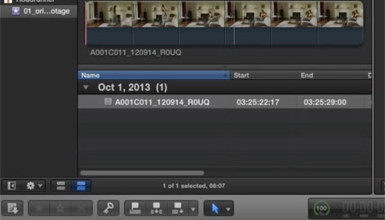
Working with Log material can be difficult at times, so we have put out a couple of different LUTs for use when using the Sony F3's S-Log or Canon Log from the Canon C300. You can download the F3 LUTs and the C300 LUTs, as many of you have already done. Arri has their online LUT Generator, and the Technicolor CineStyle LUTs are available when using the CineStyle profile on the 5D Mark II.
- Previous
- Page 2 of 2