



Image Evaluation

Tutorials & Guides
In the descriptions of the new PMW-F5 and PMW-F55 cameras, Sony notes that the F55 sensor shares the same CFA as its big brother, the F65. Some people may confuse this to mean that the F55 shares the same sensor as the F65, but that is not the case. So what is a CFA and how does it differ between the F5 and F55?

Tutorials & Guides
Recently I have been getting a number of questions about Log mode in the Canon C300, which is great because that means that many of us are using this mode. However, there are some really important things to know before jumping in. Canon has recently published a white paper on Canon Log that is full of great info. It's not exactly light reading, however, so I'll try to outline some of the important information about Canon's Log curve in this blog.

Tutorials & Guides
For years now, AbelCine has been supplying our customers with scene files for their cameras. The Sony PMW-F3 is no exception. Picture Profiles can create different looks in the camera; you can check out the ones we created for the F3 here. You may have wondered how to get these looks from your computer to the camera - fortunately, the process is fairly easy.
Tutorials & Guides
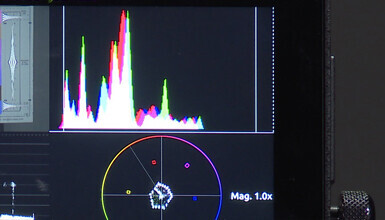
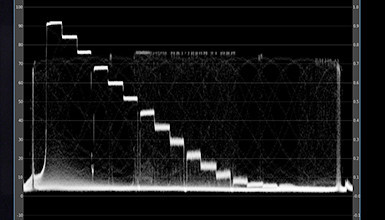
Being able to read a waveform monitor is one of the most valuable skills you can posses, both on set and in post. The waveform is the most precise way to check for exposure and, to a certain extent, color accuracy.
Tutorials & Guides
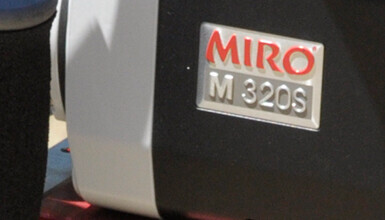
The new Phantom Miro M320S high-speed camera from Vision Research records 12-bit raw cine files for advanced color correcting with professional imaging software such as GlueTools or DaVinci Resolve. However, many shooters are instead utilizing the camera's HD-SDI output to record directly to an external device like the Sound Devices PIX 240. This is a super fast way to get gorgeous high-speed shots recorded in Apple's ProRes codec for easy ingest into an editing system.
Tutorials & Guides
Sony recently released firmware v1.4 for the PMW-F3. If you have not updated your camera yet, you can download the firmware from Sony's XDCAM site. Noteworthy in this firmware is the inclusion of S-Log in Picture Profiles.
Tutorials & Guides
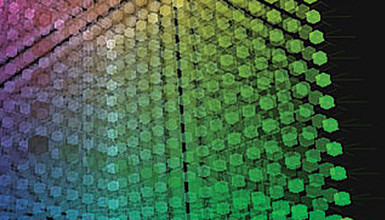
Working with Log material can be difficult at times, so we have put out a couple of different LUTs for use when using the Sony F3's S-Log or Canon Log from the Canon C300. You can download the F3 LUTs and the C300 LUTs, as many of you have already done. Arri has their online LUT Generator, and the Technicolor CineStyle LUTs are available when using the CineStyle profile on the 5D Mark II.
Tutorials & Guides
Have you ever wondered how a digital camera actually "sees" color and translates it into information that can be recorded? A Color Matrix describes the balancing of different parts of the color spectrum in order to create an accurate representation for capture. It describes not only the three primary colors, but their relationships to one another. By adjusting the properties of the Color Matrix, you can do things like: shift the white balance of a camera, change the sensitivity, alter the color pallet, adjust for color anomalies in the lens, or flaring on the sensor.
Tutorials & Guides
In this last part of my Sony F3 and S-log series, I go over how to generate 3D LUTs that can be used with external LUT boxes and in post. In order to do this I use an HD Link Pro from BlackMagic Design and, to control it, a program called LinkColor.