



Post Production
Tutorials & Guides
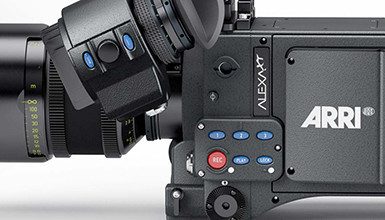
The Arri ALEXA XT, featuring a new XR recording module and in-camera ARRIRAW recording up to 120fps, has started shipping across the US. In this three part video series, Andy Shipsides goes hands-on with the camera and takes us through the technical details and workflow processes.
Tutorials & Guides
Sony recently released firmware version 1.2 for the F5 & F55 cameras, which is a pretty big update that adds many features and fixes like Wi-Fi remote control support and SR Codec recording.
Tutorials & Guides
Last month I showed you how to set up the Ki Pro Quad with the Canon C500 to capture 4K ProRes files. Today I'm going to go over how to capture Canon RAW (up to 59.94p) using the Ki Pro Quad's Thunderbolt pass-through function and AJA's CamXchange software.
Tutorials & Guides
4K was the definitive buzzword at NAB this year, as well as CES, with a number of manufacturers releasing 4K televisions, 4K game systems, and 4K cameras. With the consumer demand for 4K content just around the corner, one of the most often asked questions is "How much is this gonna cost us?!"
Tutorials & Guides
With every new camera, come many new questions about workflow. The term "workflow" can be fairly broad, but today I am looking at importing Sony F5/F55 footage into various non-linear editing systems (NLEs). Both the F5 & F55 can record in MPEG2 (XDCAM), XAVC and HDCAM SR formats internally. With the addition of the AXS-R5 recorder, they can also record in Sony Raw. This article is focused on MPEG2 and XAVC, but be sure to keep an eye out for future blogs on working with Sony Raw and HDCAM SR.

Tutorials & Guides
Blackmagic Design has done a great job making DaVinci Resolve 9 both full-featured color grading software and a dailies generation tool. Even more impressive is that they offer a free version called Resolve 9 Lite.
Tutorials & Guides
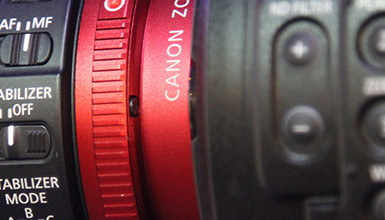
The new Canon C500 is just hitting the streets, offering both internal 50 Mbps 422 recording, as well even higher quality outputs. The camera can output HD & 2K in 4:2:2 up to 120p, or 4:4:4 up to 60p, and uncompressed 4K Raw data up to 60p and 120p at half vertical resolution.

Tutorials & Guides
Recently I have been getting a number of questions about Log mode in the Canon C300, which is great because that means that many of us are using this mode. However, there are some really important things to know before jumping in. Canon has recently published a white paper on Canon Log that is full of great info. It's not exactly light reading, however, so I'll try to outline some of the important information about Canon's Log curve in this blog.

Tutorials & Guides
For years now, AbelCine has been supplying our customers with scene files for their cameras. The Sony PMW-F3 is no exception. Picture Profiles can create different looks in the camera; you can check out the ones we created for the F3 here. You may have wondered how to get these looks from your computer to the camera - fortunately, the process is fairly easy.