



pmwf5
Tech News
Ahead of NAB, Sony has announced new AXS media for the AXS-R5 Raw recorder, which is designed to work with the F5, F55, and the FS700. These new cards have been shrunk in size from the original AXS 512 GB card (AXS-512S24), and are now the size of standard SxS cards.

Tools, Charts & Downloads
In the Sony F5/F55's previous firmware versions, scene files had to be loaded manually via the Paint menu. Now, with the latest v3.0 update, there is a dedicated menu that supports the loading of scene files onto an SD card, as well as the camera's internal memory.

Tutorials & Guides
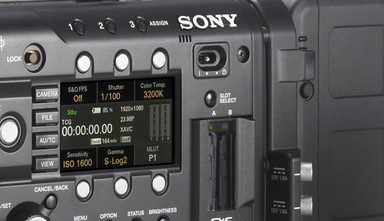
Over the last couple of days, we've had some time to play with Sony's recently-released F5/F55 firmware version 3.0. The new firmware has tons of updates, which are outlined in Jeff's previous blog, but I wanted to specifically highlight a couple of the new features including Super16 Center Scan mode, new LUT options, and High Frame Rate mode.
Tutorials & Guides
Sony has added a ton of new features to the F5 and F55 with the release of their version 2.0 firmware (which you can download directly from Sony's Community site).
Tutorials & Guides
With the release of firmware version 1.2 for the PMW-F5 & F55 cameras, Sony included the ability to run some menus via a wireless device.
Tutorials & Guides
Sony recently released firmware version 1.2 for the F5 & F55 cameras, which is a pretty big update that adds many features and fixes like Wi-Fi remote control support and SR Codec recording.

Tech News
A little while ago, Sony released the latest firmware for the F5 & F55 cameras, as well as the AXS-R5 Raw recorder. Version 1.15 of the F5/F55 firmware has some small incremental updates, with mostly bug fixes included. However, some big changes include improved naming conventions on the AXS card, de-anamorphic function on the viewfinder, and a warning when you haven't black balanced in a while.
Tutorials & Guides
With every new camera, come many new questions about workflow. The term "workflow" can be fairly broad, but today I am looking at importing Sony F5/F55 footage into various non-linear editing systems (NLEs). Both the F5 & F55 can record in MPEG2 (XDCAM), XAVC and HDCAM SR formats internally. With the addition of the AXS-R5 recorder, they can also record in Sony Raw. This article is focused on MPEG2 and XAVC, but be sure to keep an eye out for future blogs on working with Sony Raw and HDCAM SR.
Tools, Charts & Downloads
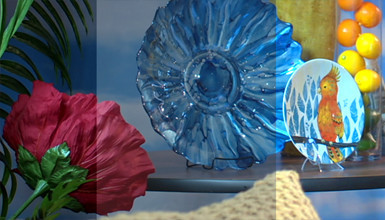
The Sony F5 & F55 cameras are shipping in quantity now, and we've gotten a lot of requests for some custom scene files. I've put together five files in our usual flavors. They are designed both to change the cameras' look and make matching the two cameras easier.The cameras handle colors very differently due to their different Color Filter Arrays (to learn more, read Mitch's article on CFAs), so you'll see some obvious differences in the files. My focus on these files was to match skin tones and give a nice overall look.